
Hotel Management Software Features
Resort Manager is a fully integrated package for hotel property management, suited to everything from a guesthouse or hostel to a boutique villa or a large resort.
It runs multi-currency, multi-lingual and multi-user, so data is entered once and used everywhere.
What is in each edition
The eight modules below are split between the two editions.
- Both Resort Manager and Resort Manager Lite
- Front Desk, Reservations, Guest Relations, Point of Sales, Reporting.
- Full Resort Manager only
- Back Office, Finance, Accounting and Inventory Control. Two Point of Sales features are also full-edition only, and are marked where they appear.
Front Desk
Everything the desk does daily — arrivals, in-house guests, tasks and the close of business.
- Check-In Wizard
- walks the operator through booking in an unexpected guest, confirming the requested room type is free for the requested dates and allocating a suitable, clean room.
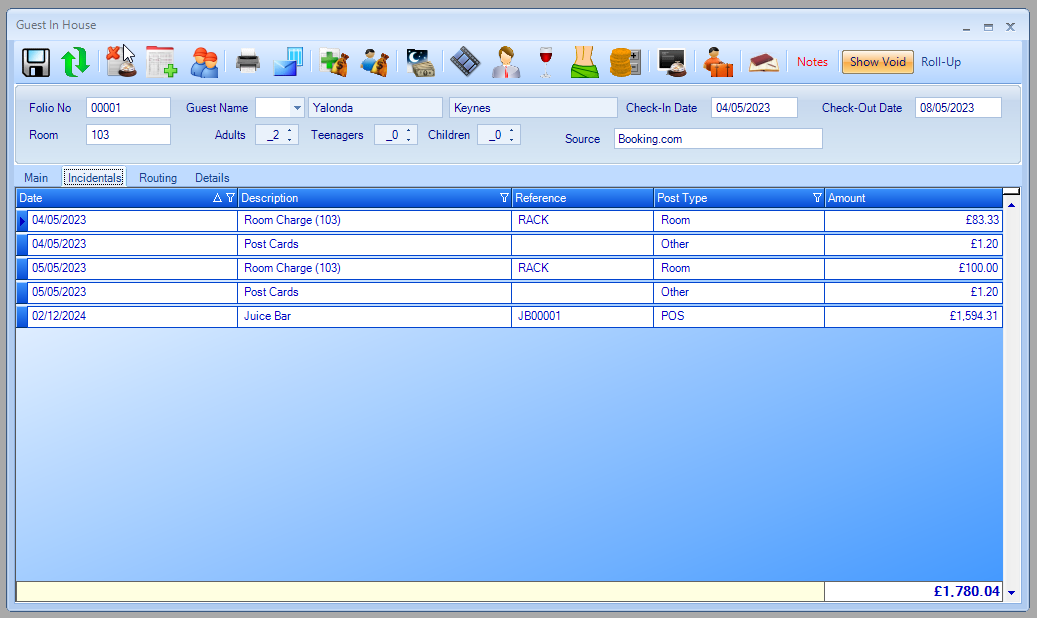
- Guests In-House
- every guest and desk folio in one list, with check-in and check-out dates and the running folio balance visible.
- Night Audit Wizard
- posts room charges, uploads transactions to the general ledger, gathers statistics, prints the standard daily reports and rolls the system date to the next day.
- Tasks
- one consolidated to-do list so nothing is lost at shift handover, each entry showing who raised it, who it is assigned to and its status.
- Search
- across reservations, folios and groups, filtered by date range, upcoming bookings or last year. Cancelled reservations can be reopened from here.
- Guest Phonebook
- find any guest in the property, not only the person who made the booking. Useful for connecting calls and passing messages.
- Room Status
- an interactive list of every room showing location, room type, occupying guest with dates, a colour-coded status, and the date linen was last changed.
Reservations
Everything that happens before the guest arrives.
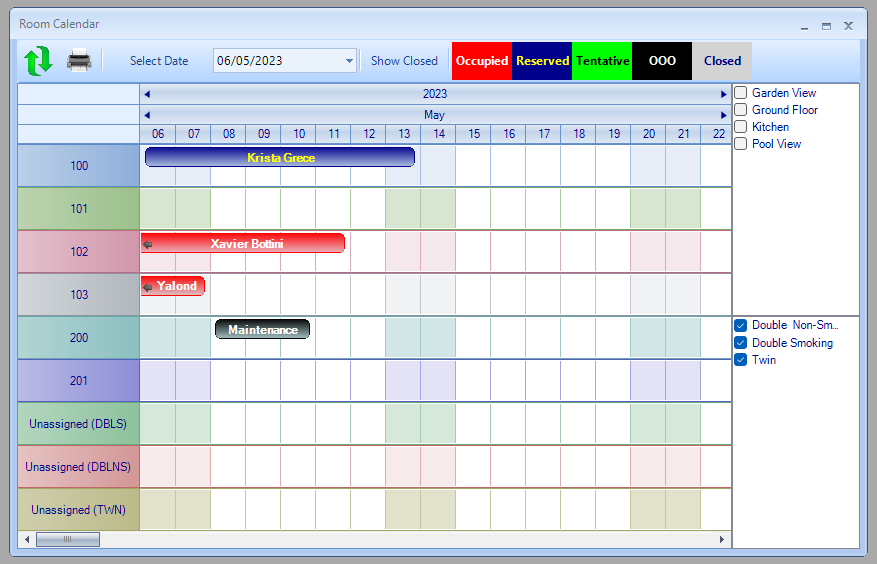
- Room Calendar
- occupancy and booking status at a glance, with drag-and-drop and filters by room type and amenity, for quick room optimisation.
- Availability
- future availability with the current occupancy percentage. Hovering over a room on a future date shows the applicable rate and nights required, which is what you want while someone is on the phone.
- New Reservation
- entered manually, or created automatically from the channel manager.
- Returning guests
- previous-visit history is surfaced automatically, so repeat visitors are recognised and the booking is quicker to make.
- Group bookings
- multiple rooms under one group, with room blocks tailored per group: room types, allocated floors and booking restrictions.
- Rate management
- seasonal rates that can be overridden for holiday periods, or Rates Rules that raise and lower rates automatically against live availability. Rates can be held in the base currency or any other configured currency.
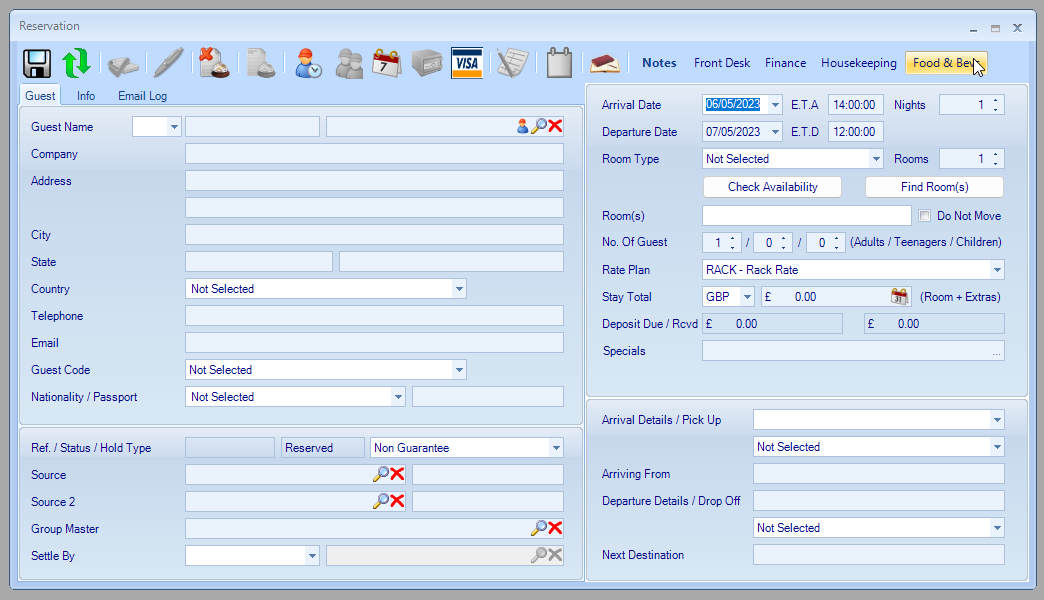
Reservations can also be checked in, cancelled, printed as check-in forms, or answered with standard guest emails, all from the bookings menu.
Guest Relations
The property's complete guest history, and the marketing that comes out of it.
- A record for every guest
- everyone who has stayed or used the resort's facilities, usable both as a reference and to deliver personal service.
- Beyond the basics
- fields for comments, likes and dislikes, an alert flag, plus full contact and demographic forms.
- Merge duplicates
- redundant records combine into one, and contact details can be copied across members of the same household.
- Export with filters
- by contact, demographic or stay information, and you choose which fields go out. This drives pre-arrival and post-departure emails, birthday and seasonal campaigns.
- Analysis
- spend and stay trends across the whole guest base.

Point of Sales
For properties where the room is only part of the bill — bars, restaurants, spas and retail.
- Multiple outlets and stations
- products are grouped into categories and assigned to outlets, so each terminal shows only what belongs there.
- Any terminal
- desktop or laptop PCs, dedicated POS terminals, tablets (iOS or Android) and mobile devices, each configured for its screen and its outlet type.
- Product list
- category, name, price, discounts and tax for every product.
- Modifiers
- extra toppings, eggs poached, a box for takeaway, a plate for sharing, allergy information. Some add information for the kitchen, some add a charge.
- Finance connection
- each category carries finance and cost-of-account numbers, so sales reach the Finance module without rekeying.
- Product recipes
- compute cost prices and reduce stock automatically. Full edition only.
- End of Day Wizard
- closes every bill, logs out all terminals, moves the financials to Finance and reduces stock. Full edition only.

Reporting
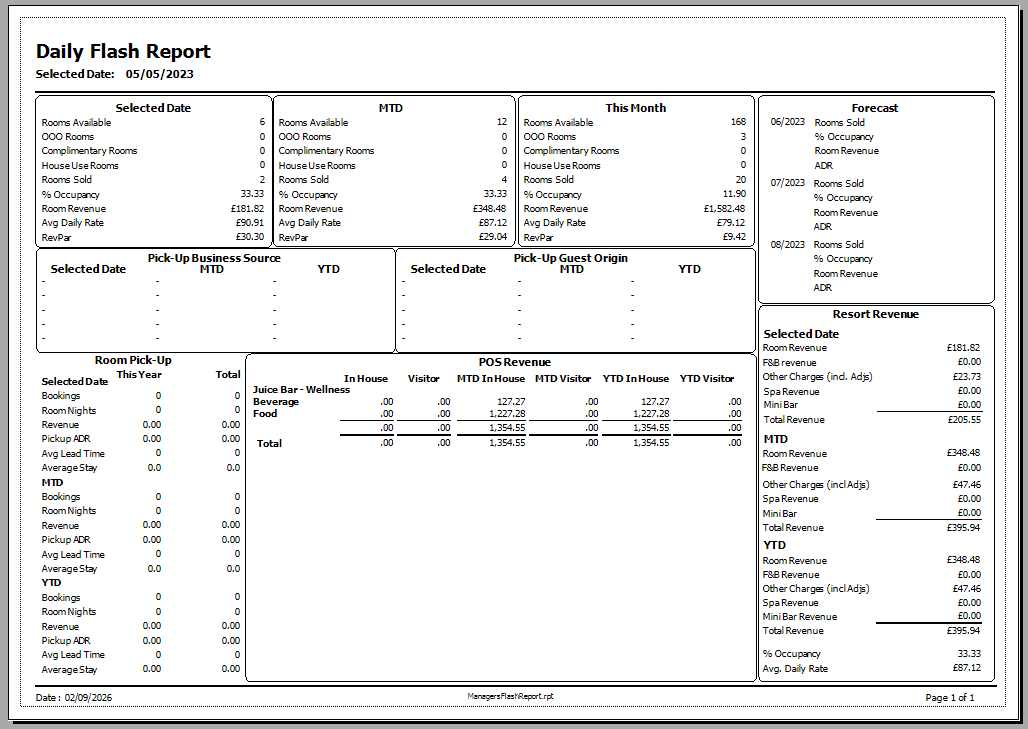
- Every module carries its own reports, giving the departmental breakdown behind the headline numbers.
- Custom reports can be built for how your property actually works.
- Anything can be viewed, printed, or exported to Excel and other formats.
Finance
A general ledger built on double-entry accounting, for any country's tax regime. Full edition only.

- Automatic posting
- once configured, business transactions define and maintain themselves, which is where most manual entry error disappears.
- Journal Definitions
- templates for manual entry, and every entry must be validated and approved before it stands.
- Chart of Accounts
- the detailed listing of every asset, liability, equity, revenue and expense account, tracking all income, expenditure, assets and liabilities.
- Multi-currency
- rooms, purchases and other transactions in any configured currency, with separate buy and sell rates. Conversion rates are entered manually, or delivered daily by the exchange rate add-on.
- Budgets
- applied to any account across twelve financial periods, with reports comparing actual against expectation.
Accounting
Money owed to you and money you owe, linked directly to the guest folio, purchasing and point-of-sale modules. Full edition only.
- Accounts Receivable
- invoices to guests and agents where payment was deferred, with payments, credit notes and discounts recorded against them. Reports identify long-outstanding invoices, and produce statements.
- Accounts Payable
- supplier invoices with deferred payment, recorded through to settlement. Reports support payment scheduling and flag what is outstanding.
Inventory Control
Everything the property buys and holds, perishable or not, linked to Finance so stock value and stock movements land in the accounts. Full edition only.
- Stock records
- descriptions, quantities on hand, unit pricing and total values, updated in real time.
- Stock movements
- every acquisition, sale, return and adjustment tracked, so levels, trends and demand are visible rather than inferred.
- Stock audits
- reconcile recorded levels against a physical count, and surface the discrepancies.
- Purchase requests and purchase orders
- the request formalises the need; the order authorises the supplier against agreed descriptions, quantities, prices, delivery dates and payment terms.
- Direct purchases
- bought straight from a vendor with no market list or purchase order, recorded so stock and spend still reconcile. Mostly food and beverage, buying at market or taking the day's specials.
- Market lists
- the purchasing department's consolidated list of what each department needs, with quantities, specifications and preferred vendors.

---
Add-ons extend all of this — channel manager, telephone, door locks, CRM, guest internet, exchange rates and the mobile apps. See the add-ons list, or request a quotation for your property.


Two questions come up before most of this matters, and both have their own page. Whether an on-premise or a cloud system suits your property, which mostly comes down to what happens when your connection fails. And whether one system or several is the right shape, which is really a question about who owns the interfaces between them. Both set out the case against us as well as for us.
If you are still working out what your property actually needs, IT in Hospitality covers it vendor-neutrally and its templates are free to download.
Common questions
Which modules are included?
Front desk, reservations, guest relations, point of sales, reporting, finance, accounting and inventory control, plus housekeeping. Resort Manager Lite carries a smaller set for properties that need less.
Are there mobile apps?
Yes — a housekeeping mobile app and a point of sales mobile app, both available as add-ons.
Can it handle villas and mixed unit types?
Yes. Properties selling a mix of rooms, bungalows and villas are a normal case rather than a special one, which is the same capability that suits villa-only operations.
Pricing depends on the property, so we quote it rather than list it.
Tell us which version you need, the modules you want and how many rooms you run, and we will put a proposal together. If Resort Manager is the wrong fit for the property, we will say so.